Streaks Optional: Building Habits Without Pressure
47 days of meditation in a row. Then one missed day—and the number drops to zero.
For some, this is motivating. A fresh start, a new beginning.
For others, it's the opposite: frustration, guilt, and the thought "Why bother continuing?"
We realized: Streaks aren't for everyone.
In brief: You can now choose in your profile whether to display streaks. When disabled, all streak indicators disappear from the app—but your data remains intact.
The Problem with Mandatory Streaks
Behavioral research shows a mixed picture.
For extrinsically motivated people, streaks can be a powerful driver. The growing number becomes a game to win.
For intrinsically motivated people, streaks can have the opposite effect. Focus shifts from the habit itself to the number. The joy of meditating becomes anxiety about losing the streak.
BJ Fogg, creator of the Tiny Habits method, emphasizes: The feeling of success matters more than external metrics. When a number causes stress instead of joy, it's working against you.
The New Setting: Show Streaks
In your profile, you'll now find a new option under "Habits":
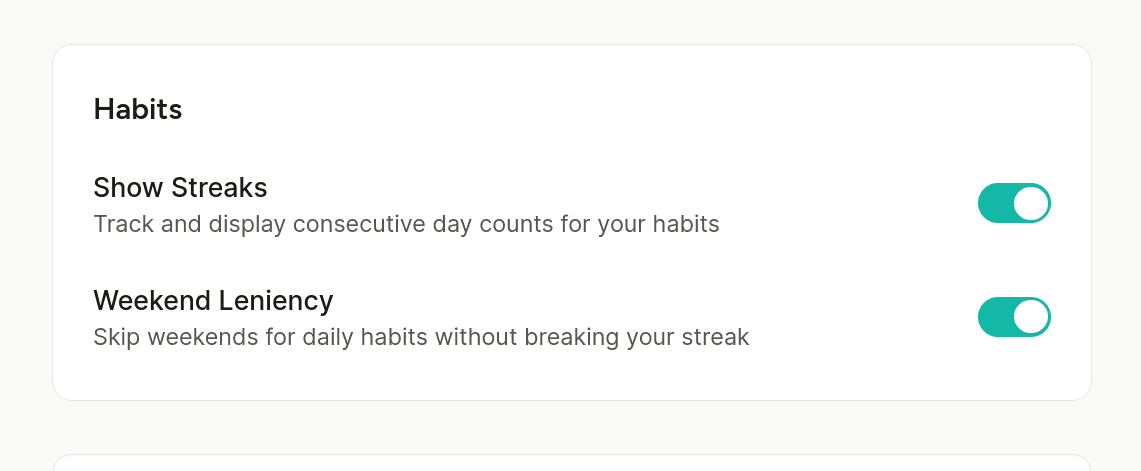
Show Streaks — When enabled, you see streak counters on your habits. When disabled, all streak-related elements disappear—but you get something better in return.
When streaks are hidden:
- No more 🔥 fire icons or "X days in a row" pressure
- No streak statistics or milestone celebrations
- No streak freeze notifications
What you see instead:
- 🌱 Total completions — A number that only grows, never resets
- "X days this week" — A gentle weekly rhythm view
- Completion milestones — Celebrate 10, 25, 50, 100+ completions
This aligns with the Tiny Habits philosophy: celebrate growth, not consecutive perfection.
What Happens to My Data?
Nothing. Your streak data continues to be stored in the background.
If you re-enable streaks later, all numbers will be correct—including days when the display was disabled.
You don't lose any information. You just choose whether to see it.
Weekend Leniency Gets Automatically Disabled
When you turn off streaks, the weekend leniency setting becomes grayed out.
This makes sense: weekend leniency is a streak feature. It lets you skip weekends for daily habits without breaking your streak. Without visible streaks, this setting has no meaning.
Who Is This For?
This feature is for people who:
- Feel pressured by numbers — When the streak counter brings more stress than motivation
- Follow the Tiny Habits philosophy — Focus on the behavior, not external metrics
- Want a fresh start — Sometimes it helps to hide the past and begin anew
- Prefer habits without gamification — Not everyone needs points and counters
Why Is It Off by Default?
We chose to disable streaks by default.
This is a deliberate decision following the Tiny Habits philosophy: Intrinsic motivation before extrinsic.
Users who want streaks can enable them with one tap. Users who don't want them won't be confronted with them.
The MLP Philosophy Behind It
At feeldata, we follow the Minimum Lovable Product approach. We don't just ask "Does this feature work?" but "Does this feature feel good?"
Mandatory streaks don't feel good for many users. They create pressure instead of joy.
By making streaks optional, we respect that people are different. Some need the number for motivation. Others need peace from the number.
Both are perfectly fine.
How to Enable or Disable Streaks
- Go to Profile
- Scroll to Habits
- Tap Show Streaks
The change takes effect immediately. No reload needed, no data loss.
Building habits is hard enough. Your app should help you—not create additional pressure.
With or without streaks: feeldata supports your journey.